How to Make an AI Rap Video for Two
 RapperAI
A step-by-step guide to making the viral AI rap video with a friend: which two photos work, how to pick a stage, what to type, and how to post it.
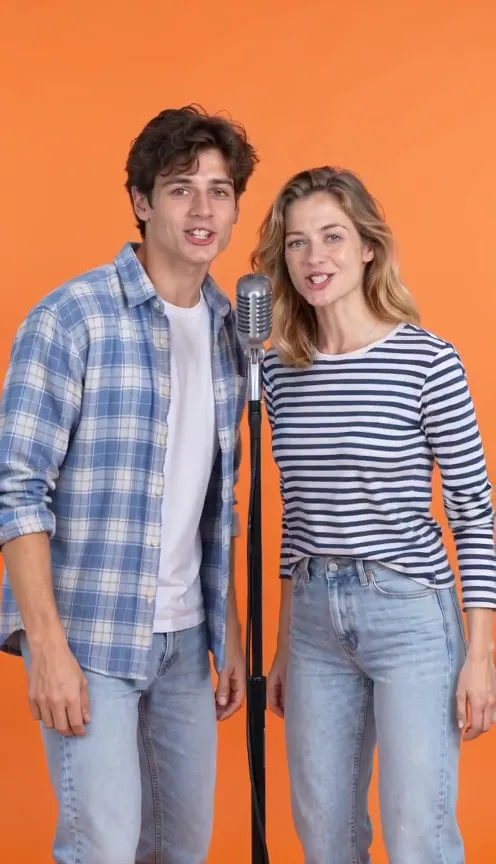
AI rap videos blew up on TikTok and Reels in September 2026: two regular people on a stage, a beat, and verses that sound like they were written about them. Here is how to make one with a friend, a partner or family, from your phone.
What you need
- Two clear photos, one person in each: you and your duo partner.
- A line about the two of you: names, an occasion and one funny detail about each person.
- A few minutes. Most videos are ready in about five.
You do not need an app, a microphone or any editing skills.
Step 1: Pick the right photos
The AI builds the performance from your photos, so they decide most of the result.
- Use front-facing photos, with each face clearly visible and well lit.
- One person per photo. The two selfies do not need to be taken together.
- Avoid sunglasses, hands over the face and heavy filters.
- Only use photos of yourself and of adults who agreed to be in the video. Celebrities, politicians and minors are not allowed, and you tick a box to confirm this before you make the video.
Step 2: Add the names
Type a name under each photo. The person on the left raps the first verse, the person on the right fires back with the second, and both rap the last line together. With names, each verse calls the other person out by name. This back-and-forth is the format behind many viral clips, like the hotel lobby and orange booth AI rap duos.
Step 3: Pick a stage
The stage is the place the two of you perform in. The bright orange booth reads instantly on a small screen; the recording studio feels like a real music video, and the Christmas, birthday and Halloween stages fit the occasion and work it into the lyrics. You can see a real example of each stage on the homepage.
Step 4: Type what the rap is about
This is where the video becomes yours. Give each person one specific, funny detail:
- "Mia and Leo, best friends since college. Leo trusts the GPS way too much, Mia sends 40 voice notes a day."
- "Emma's 21st birthday. Dad still calls her kiddo and got teary during his toast."
- "Our 5-year anniversary. He still steals the blankets, I still steal his fries."
Not sure what to write? The occasion buttons above the box fill in a complete example you can edit.
Step 5: Make it, download and post
Pick 720p (sharper, the default) or 480p (half the credits), tick the photo box and press Make my rap video on the AI rap video generator. The video comes out vertical (9:16), so it fits TikTok, Instagram Reels and YouTube Shorts without cropping. Tag each other; that is half the fun.
Tips for a better result
- Be specific. One real detail about each person beats a long description.
- Keep it friendly. Teasing about habits works; jokes about looks or anything mean do not.
- Expect a fresh take every time. Each video is generated from scratch, so the lyrics, moves and scene come out a little different. If you want another version, make it again or try a different stage.
Ready? Make your AI rap video.